Creating Custom Products with EPS Files: A Guide for Artists and Entrepreneurs
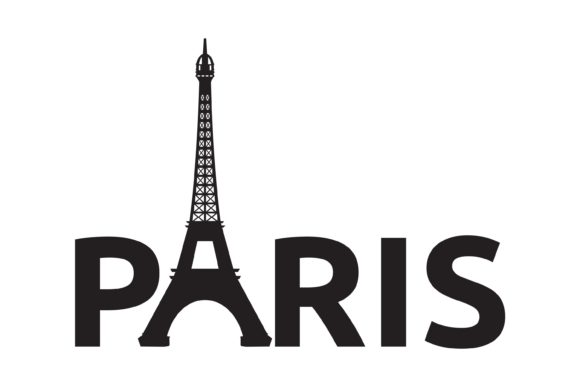
The Eiffel Tower in Paris is one of the most iconic landmarks in the world, symbolizing not only French culture but also the enduring power of design and engineering. While the tower itself is a physical structure, its influence extends into the digital realm, inspiring countless creative projects. For those involved in handmade businesses or digital design, the ability to create high-quality, scalable graphics is essential. This is where EPS files come into play.
Understanding EPS Files and Their Importance
EPS, or Encapsulated PostScript, is a file format that allows for the creation of vector graphics. Unlike raster images such as JPEGs or PNGs, which are made up of pixels, EPS files are based on mathematical equations. This means they can be scaled to any size without losing quality. For designers and entrepreneurs, this is a game-changer when it comes to creating custom products like shirts, mugs, and signs.
EPS files are particularly useful for those who work with vector-based software such as Adobe Illustrator, Inkscape, or Corel Draw. These tools allow users to create intricate designs that maintain clarity at any scale. Whether you're designing a logo for your handmade business or a decorative element for a party, EPS ensures that your artwork remains sharp and professional-looking.
Why Choose EPS Over Other Formats?
- Scalability: EPS files can be enlarged or reduced without any loss of quality, making them ideal for print and digital use.
- Compatibility: They work seamlessly with a wide range of design software, including Adobe Suite, Inkscape, and Corel Draw.
- Professional Quality: The precision of vector graphics ensures that your designs look great whether printed on a mug or displayed on a large banner.
- Cost-Effective: Using EPS files can save time and money by reducing the need for multiple image formats.
For example, if you're creating a shirt design featuring the Eiffel Tower, an EPS file will ensure that the tower's intricate details remain clear even when the design is printed on a larger scale. This level of detail is crucial for maintaining the integrity of your brand or product line.
Designing with the Eiffel Tower in Mind
The Eiffel Tower is more than just a landmark; it's a symbol of innovation and artistry. Incorporating elements of the Eiffel Tower into your designs can add a touch of elegance and cultural significance to your products. Whether you're creating wood signs, party decor, or custom mugs, the tower offers a versatile design element that can be adapted to various styles and themes.
When designing with the Eiffel Tower, consider how it can fit into your overall aesthetic. For instance, a minimalist design might feature a simple outline of the tower, while a more detailed version could include textures and shading. The key is to balance creativity with practicality, ensuring that your design is both visually appealing and functional.
Additionally, using the Eiffel Tower as a central motif can help differentiate your products in a crowded market. It adds a unique identity that customers can easily recognize and associate with your brand. This is especially valuable for handmade businesses looking to stand out in the competitive world of artisanal goods.
Practical Applications of EPS Files
EPS files are incredibly versatile and can be used across a wide range of industries and projects. Here are some common applications:
- Custom Apparel: Design t-shirts, hoodies, and other clothing items with high-quality, scalable graphics.
- Wood Signs: Create detailed signage for home decor, cafes, or retail spaces.
- Craft Supplies: Develop templates for DIY projects, allowing others to personalize their own creations.
- Party Decor: Use EPS files to design banners, balloons, and other festive elements.
- Print-on-Demand: Leverage EPS files for online stores that offer customizable products.
Each of these applications benefits from the scalability and precision of EPS files. Whether you're printing on a mug or creating a large banner, the same high-quality design remains consistent throughout.
Getting Started with EPS Files
If you're new to working with EPS files, the process is straightforward. Start by choosing a design tool that supports EPS, such as Adobe Illustrator or Inkscape. Once you've created your design, export it as an EPS file, ensuring that all elements are properly formatted and optimized for use.
It's also important to test your design on different mediums. For example, if you're creating a sign, print it on a small scale first to check for clarity before scaling up. This helps identify any issues early on and ensures that your final product meets your expectations.
Remember, the goal is to create something that not only looks great but also functions well within its intended context. Whether you're selling handmade products or offering custom designs, the right file format can make all the difference.
Conclusion
In conclusion, EPS files are a powerful tool for designers and entrepreneurs looking to create high-quality, scalable graphics. By understanding the benefits of EPS and how to use it effectively, you can elevate your projects and expand your creative possibilities. From custom apparel to party decor, the versatility of EPS makes it an essential asset in any designer's toolkit. So, whether you're inspired by the Eiffel Tower in Paris or any other design, take advantage of the flexibility and precision that EPS offers.